AI let us build faster than we could design. Here's what broke and what I changed.
The design team couldn't keep up, so the company opened its AI design playground to product managers. The prototypes looked right, but the AI skipped the research, and the designers spent their time fixing the prototypes. This story is about what broke, what the design team changed, and how I work with AI now.
- Client
- Hub
- My role
- Head of design
- Result
- About 100 prototype changes, most from product managers, reviewed by two designers
Where it started
In 2025, before Hub was built, the company wanted to show enterprise customers and partners what Hub could become. Hub is the new back office: the web-based system where managers run inventory, staff and reporting, alongside Storefront, the POS app. I designed the whole vision in Figma Make, the design team's first try at prototyping with AI, and presented the vision live on stage at the company's Summit.
Figma Make was new, and AI tools were far less capable than they are now. I had to learn what context was: everything the AI needs to know about the product, the people and the problem. I learned how long a session could hold that context before the AI lost track of it, and to give that context again whenever the AI lost track. That was my first lesson about AI: AI can only build from the context someone gives it.
Opening the playground
Later, the design team moved the design system into GitHub, with a playground where designers built prototypes with Copilot on the real components. The design team was two designers, including me, for five product managers, and couldn't keep up with the work. The company wanted design to go faster.
Product and design decided together to open the playground to the product managers, so they could build their own prototypes with AI. The design team raised concerns, and the decision was to go ahead. Every prototype still came to the design team for review before the prototype went onto the demo site, and about 100 changes, most of them from product managers, were reviewed and put on a demo site.
What broke
The prototypes looked right. The AI followed the design system, so the colours, type and components matched. But the experience often fell short. The product managers didn't have a background in UX and UI, and the AI didn't make up for that gap. The AI jumped straight to a solution, without understanding the people who would use the product, what they were trying to get done or what got in their way.
The playground was opened so that the two designers could keep up with the product managers. Instead, the designers spent much of their time fixing the product managers' prototypes before those prototypes could go onto the demo site.
What the design team changed
Before I left, the design team added Superpowers (opens in a new tab) to the playground: a free set of skills, published on GitHub, that tell an AI coding assistant how to work. The Superpowers brainstorming skill made the AI ask questions about the idea, suggest other ways to solve the problem, and get the design approved one part at a time, before the AI built anything.
I left before I could see whether the brainstorming skill fixed the problems I saw.
How I work with AI now
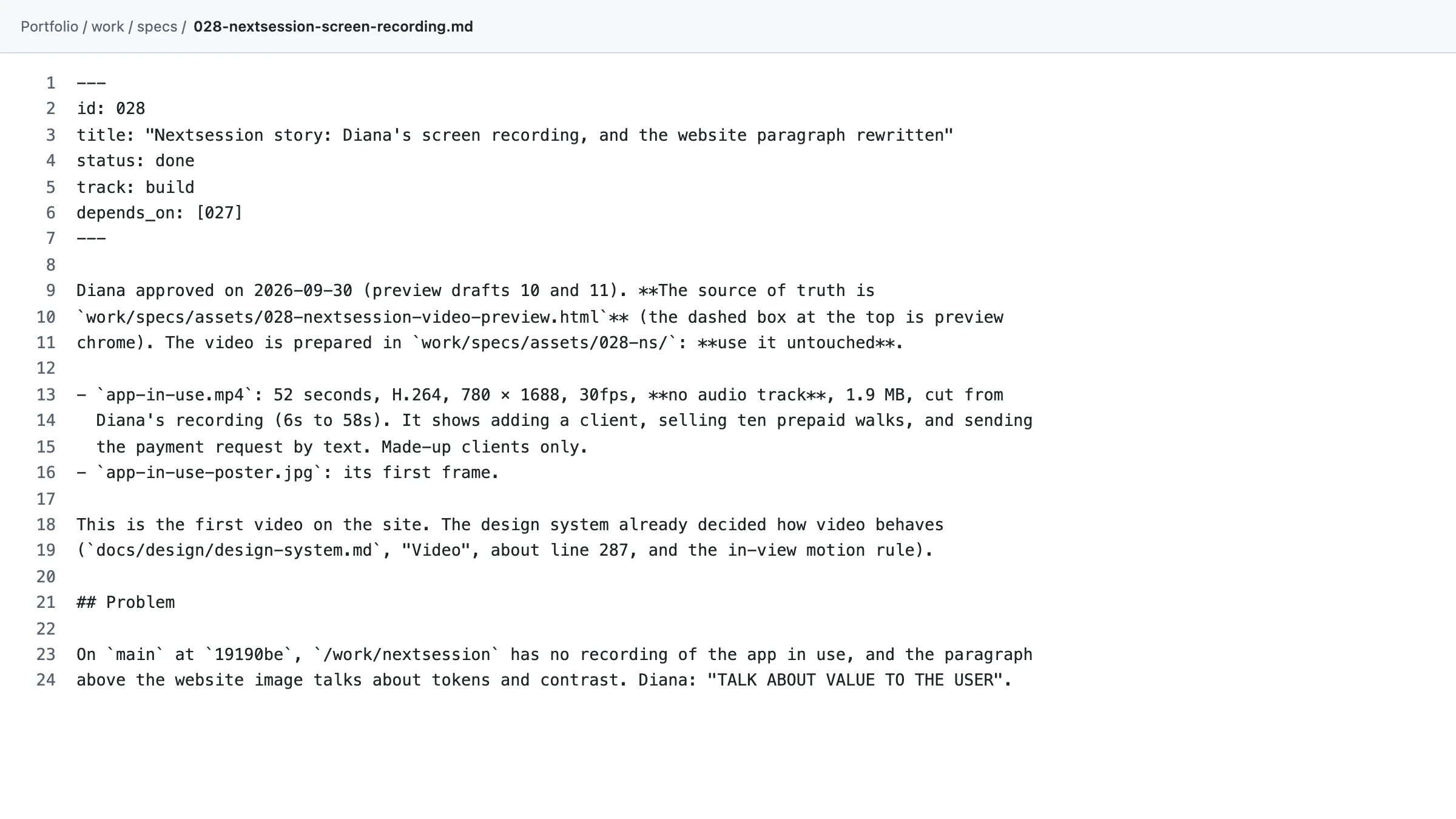
After I left, I kept working on the same problem, and built my own way of working with AI, with two roles, each in its own Claude Code session. In the first, the AI asks me questions until the idea is clear, then writes a spec: everything that needs to be built, and how I'll check the work. In the second, a fresh session that knows nothing of that conversation builds exactly what the spec says, and stops to tell me if anything doesn't match, instead of making something up.
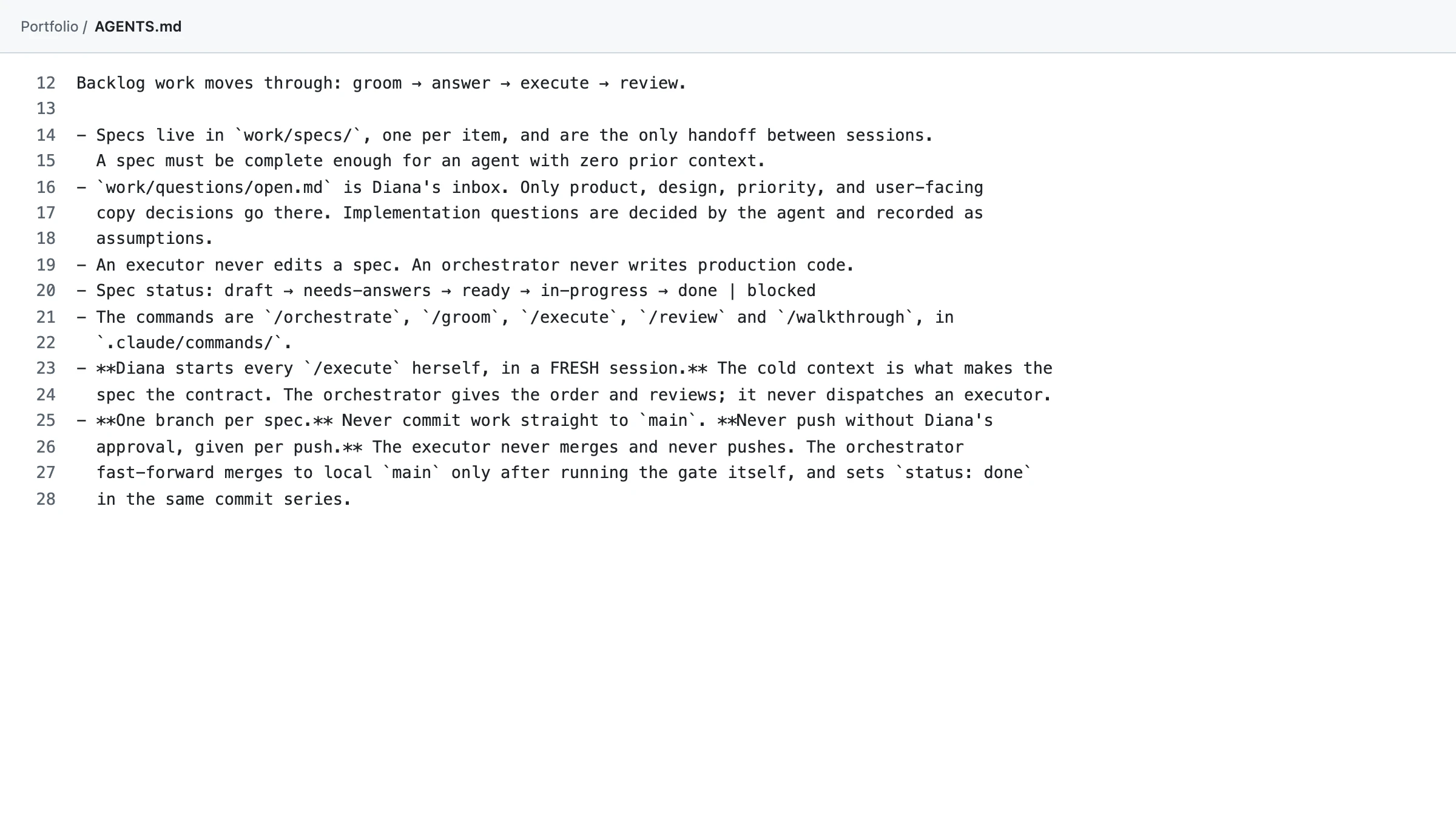
Written rules say what each role may do, and when. The planning session never writes the code, and the building session never changes the plan. I review and test every change myself before it goes live.
The diagram below shows the three ways a prototype got made: when the playground opened, after the brainstorming step, and how I work now.
These are two of the real files from this site's GitHub repository: the rules the AI follows, and one of the specs.
What I'd do differently
I'd spend more time with the product managers before opening the playground to them. I'd show them how to write a prompt that gives the AI the context it needs, how to do UX research, and why research matters.
I'd also have them learn the UX fundamentals in the Nielsen Norman Group's articles (opens in a new tab), through short lessons or lunch and learns, so they had the basics before they started building prototypes with AI.
I'd also learn what each AI tool is good at, and what each tool can and can't do, before choosing one for a job. For example, Claude can't read Reddit, because Reddit blocks AI tools that don't have a licensing deal with Reddit. Gemini can, because Reddit licenses its content to Google. So when research needs Reddit threads, Gemini is the right tool, and I still open every link Gemini gives me to check that the source is real.
AI can make a screen look right. Knowing whether the screen works for the people using it still takes research, and the product managers needed to learn that first.